Searching for the best digital detox apps creates an obvious paradox: you are asking your phone to help you spend less time on your phone.
That does not make these tools useless. A well-designed blocker can add friction before an automatic tap, protect a focus period, or make a limit harder to dismiss. For many people, that is a sensible place to start. The important question is not whether an app is “good” or “bad.” It is whether the tool changes what happens after the block appears—or simply gives you another dashboard to manage.
This guide compares five strong options using current information from their official websites and published research. It also explains when an offline printable may work better, especially if opening your phone is itself the habit you are trying to change.
The short answer: Try one sec if you want a pause before opening distracting apps; Freedom for scheduled blocking across devices; Opal for polished phone-first controls; ScreenZen for a donation-supported option; or Forest if a visual focus timer motivates you. If you want the reset itself to happen away from the screen, use a printable plan—or combine one with a blocker.
What digital detox apps can genuinely do well
Most digital-wellbeing apps use one or more of four mechanisms: they show you usage data, insert a delay before an app opens, block selected apps or websites, or reward focused time. Those mechanisms solve different problems.
- Awareness: a report makes an invisible habit measurable.
- Friction: a pause interrupts the automatic sequence between urge and tap.
- Precommitment: a scheduled block lets your earlier intention protect you when motivation changes.
- Replacement: a timer or prompt gives you a next action instead of leaving an empty space.
The evidence is promising but not magical. A 2021 systematic review of digital self-control interventions found that tools and studies varied widely in design and effectiveness. A later systematic review and meta-analysis reached a similarly practical conclusion: digital self-control tools can help, but the mechanism, context, and user’s goal matter. In other words, downloading an app is not the intervention. Using a specific feature in a repeatable situation is.
How we evaluated the apps
This is not a ranking based on app-store stars. We looked for a clear behavior-change mechanism, current official documentation, availability on common platforms, and an honest use case. Pricing and features can change, so confirm the current plan on the developer’s website before subscribing. The “best” option is the one that matches the moment where your habit usually goes off course.
| App | Best for | Core mechanism | Main tradeoff |
|---|---|---|---|
| one sec | Automatic app opening | Pause, intention prompt, optional blocking | You still interact with the phone to make the choice |
| Freedom | Distractions across phone and computer | Scheduled, synchronized blocking | Useful recurring and locked controls are premium |
| Opal | Polished phone-first focus rules | Rules, timers, blocking difficulty | Rich tracking can become another system to maintain |
| ScreenZen | Flexible limits without a typical subscription | Delays, limits, schedules, usage awareness | More settings can mean more setup |
| Forest | Study or work sessions | Visual timer and gamified commitment | Designed more for sessions than an all-day reset |
The five best digital detox apps for different kinds of change
1. one sec: best for interrupting automatic checking
one sec places a brief intervention between tapping a selected app and entering it. Depending on your setup, that may be a breathing pause, an intention question, or a stronger block. It is a good fit when your main complaint is not hours-long planned use but the repeated, barely conscious checks that begin before you have decided what you want.
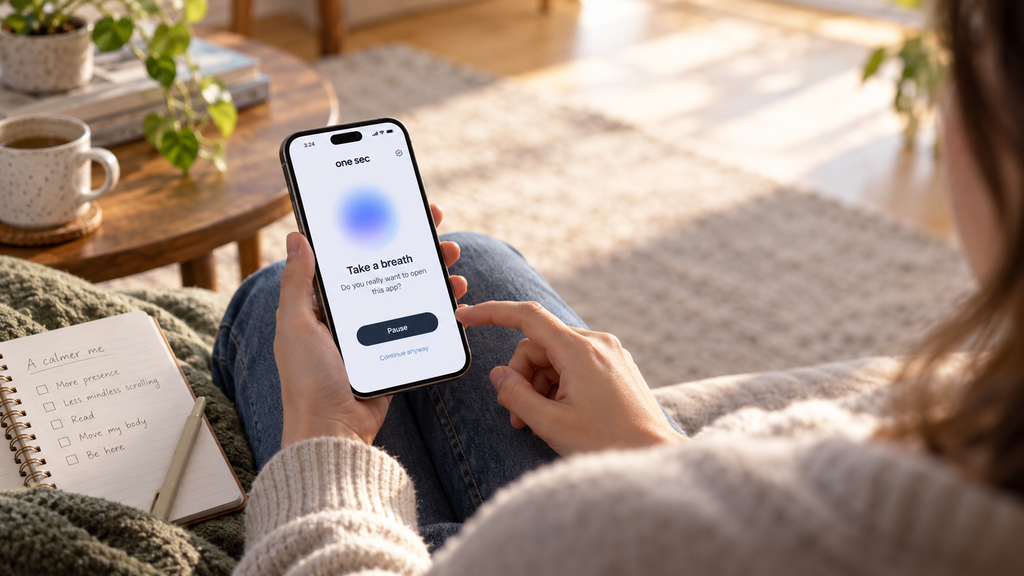
This app has unusually relevant published evidence. In a 2023 PNAS study of one sec, researchers analyzed real-world use of an intervention that delayed access to selected apps. The study reported fewer attempts to open target apps after the intervention was installed. Because much of the evidence came from in-the-wild observational data rather than a fully controlled clinical trial, it supports a useful association and plausible mechanism—not a guarantee that every user will cut use by the same amount.
Why it works as a starting point: the intervention appears exactly where the habit happens. What it may miss: awareness is still delivered through the device. If you dismiss the pause, you remain in the same environment, with the same cues and the same next tap available.
2. Freedom: best for blocking across multiple devices
Freedom is the strongest fit here for people whose distraction moves between a phone, work computer, tablet, and browser. Its official feature documentation describes custom blocklists, scheduled and recurring sessions, a locked mode, and synchronization across major platforms. That matters if blocking Instagram on your phone simply sends you to a browser tab on your laptop.
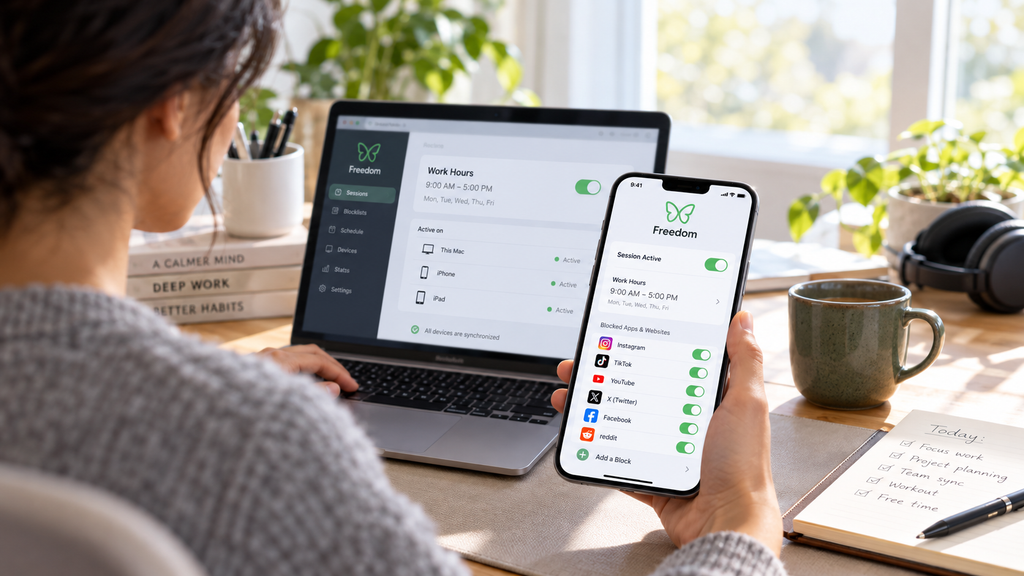
Freedom’s free tier currently includes start-now sessions and custom blocklists on unlimited devices, while recurring schedules, longer sessions, and locked mode are listed as premium features. That split makes the free version suitable for testing the basic mechanism before paying.
Why it works as a starting point: it closes obvious escape routes and can run on a schedule. What it may miss: blocking answers “What can’t I open?” but not “What am I protecting this time for?” Without a visible offline plan, a blocked feed can be replaced by inbox checking, online shopping, or another permitted distraction.
3. Opal: best for a polished, structured phone setup
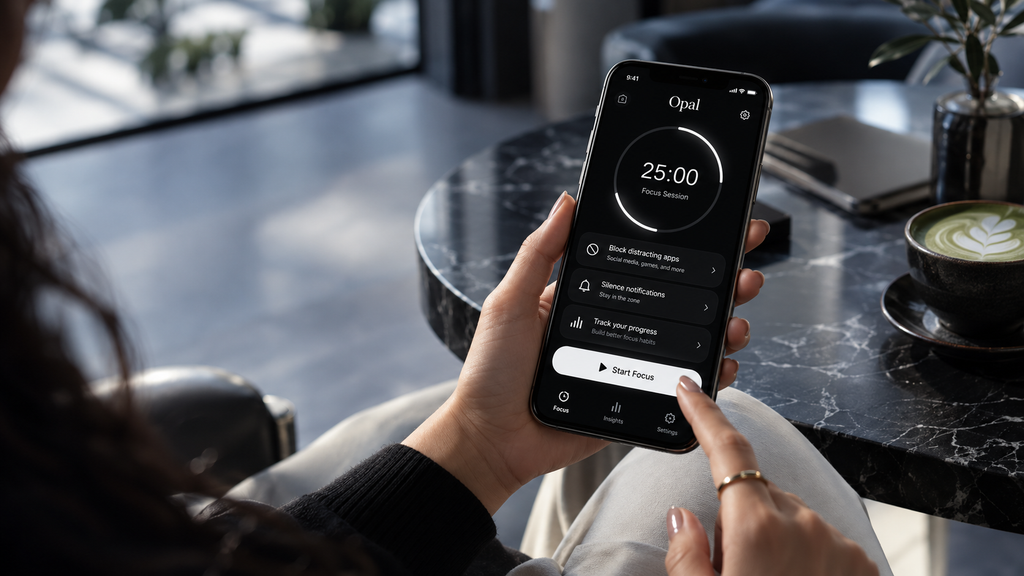
Opal combines focus rules, timers, usage insights, and different levels of blocking difficulty. Its design is approachable, and the rules can automate recurring boundaries instead of asking you to make the same decision every day. It is a good match for someone who wants a guided system and is willing to configure it.
Be careful with the big “time saved” or wellbeing numbers displayed by any commercial product. Unless the methodology and population are clear, treat those as company-reported estimates or survey results, not as a prediction of your outcome. The useful test is simpler: choose one problem app, one protected window, and compare your actual device report for two weeks.
Why it works as a starting point: strong automation and a friendly interface reduce setup friction. What it may miss: scores, streaks, and reports can keep your attention centered on the phone as the place where progress lives.
4. ScreenZen: best for flexible, donation-supported limits
ScreenZen offers delays before opening selected apps, daily limits, schedules, and usage tracking. Its official site describes the project as donation-supported. That makes it worth considering if you want more flexibility than built-in controls without immediately adding another subscription.
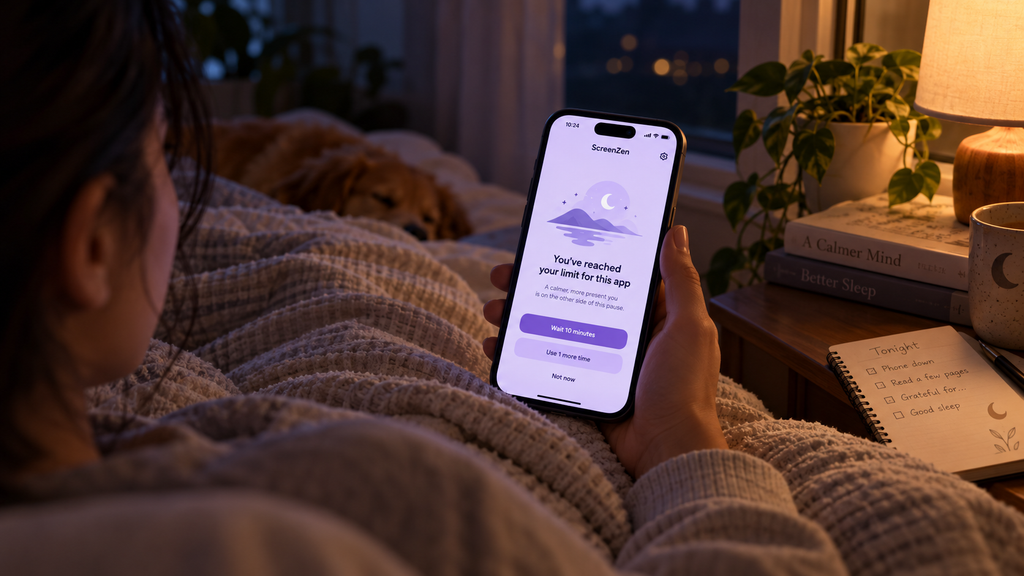
The appeal is customization: you can make a distraction less convenient without banning it completely. For example, a short delay and a limited number of daily opens may be more realistic than a total lockout for a messaging or community app you genuinely use.
Why it works as a starting point: it can turn a vague goal—“scroll less”—into a concrete boundary. What it may miss: many settings invite tinkering. If you spend more time perfecting the rules than practicing what to do when the urge arrives, the setup becomes a form of productive-looking avoidance.
5. Forest: best for a motivating focus ritual
Forest turns focused time into a visual ritual: start a session, grow a virtual tree, and build a forest over time. It is less of a comprehensive digital detox system and more of a friendly commitment device for studying, reading, writing, or completing a defined task.
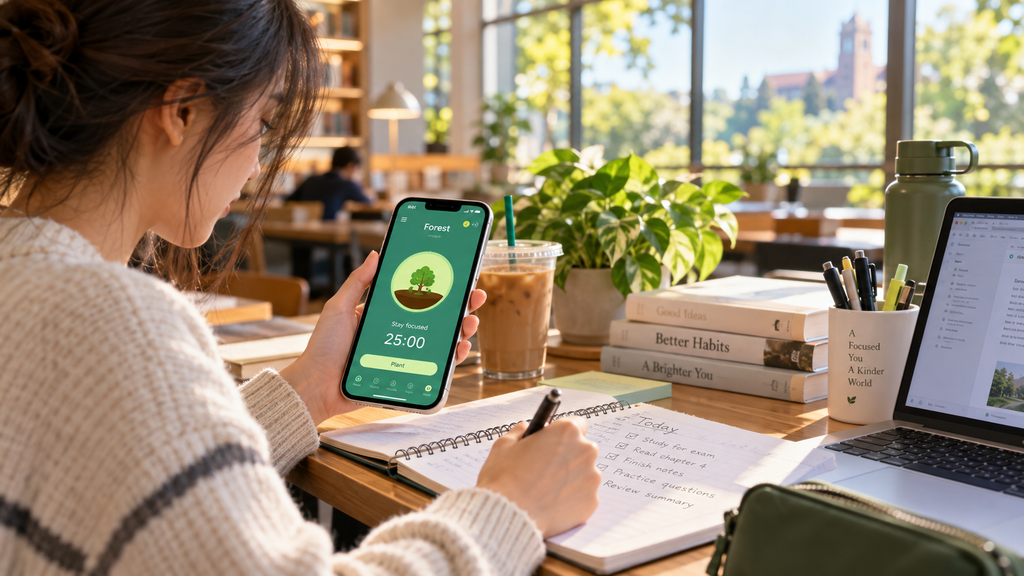
Gamification is not automatically shallow. A visible growing tree can make an abstract benefit—“I protected 25 minutes”—feel immediate. But if rewards stop motivating you, the app does not necessarily help you understand boredom, stress, loneliness, or task avoidance. It works best when you already know what you intend to do during the session.
Why it works as a starting point: it makes focus tangible and can add a satisfying beginning and end. What it may miss: a timer protects a block of time; it does not design the rest of your day.
Before downloading anything, try the controls already on your phone
Apple’s Screen Time and Google’s Digital Wellbeing include usage reports, app timers, downtime or focus modes, and notification controls. They are not as specialized as the apps above, but they are free, integrated with the operating system, and often enough for a first experiment.
Start with one boundary, not ten: disable nonhuman notifications, remove one high-cue app from the home screen, and protect a single recurring window such as the first 30 minutes after waking. If the built-in limit is too easy to override, then choose a third-party tool based on the missing mechanism: friction, stronger blocking, cross-device coverage, or motivation.
The honest limitation: an app keeps the solution on the phone
The central weakness of a digital detox app is not hypocrisy. It is context. The intervention, the progress report, the settings, and often the reward all live inside the environment that contains the distraction.
That can create four practical problems:
- The cue remains visible. You still pick up and unlock the device to manage the boundary.
- The limit can become a negotiation. Many systems include “ignore,” “snooze,” or uninstall routes because a phone must remain usable.
- The app measures absence better than purpose. It can count minutes not spent on Instagram, but it cannot know whether those minutes became sleep, conversation, meaningful work, or another feed.
- The plan disappears when the screen is away. Once you put the phone down, your next action may not be visible anywhere.
This is where a printable earns its place. Paper can sit on the desk, kitchen counter, or nightstand without lighting up, notifying you, or offering an adjacent distraction. It can hold the part most blockers cannot: the reason for the boundary, the substitute activity, and the reflection that helps you adjust tomorrow.
That does not establish that paper is clinically superior to every app. Research has not made that universal comparison. It does mean a printable changes the environment in a way software cannot. If the phone itself is a cue, moving the plan outside the phone is a coherent design choice.
Apps versus printables: choose by the job
| If you need… | Start with an app | Start with a printable |
|---|---|---|
| A hard stop when you open TikTok | Yes: use friction or blocking | Use it to plan what happens after the stop |
| Protection across phone and laptop | Yes: use a cross-device blocker | Keep the protected task visible beside you |
| Understanding why you reach for the phone | Tracking may reveal when | Reflection is better suited to why and what next |
| A screen-free morning or evening | Schedule the boundary in advance | Use paper during the protected period |
| A complete habit experiment | Enforce one or two rules | Guide the plan, replacement, and review |
The best approach may be a hybrid
You do not need to choose sides. The most practical setup often uses software as a gate and paper as a guide.
- Choose one protected moment. Examples: breakfast, focused work from 9:00 to 10:00, or the final hour before bed.
- Use one app mechanism. Add a pause, block two problem apps, or schedule one recurring session. Do not build an elaborate control system on day one.
- Write the replacement on paper. “When the block begins, I will make coffee and read five pages,” is more useful than “use phone less.”
- Place the phone physically away. A drawer, entry table, or charger across the room adds environmental friction that software cannot provide.
- Review after seven days. Look at both your device report and your lived experience. Did you sleep earlier, finish the task, talk more, or simply switch distractions?
This approach aligns with the broader evidence: short digital-detox interventions sometimes improve certain outcomes, but results are mixed and depend heavily on design and follow-through. A systematic review of digital-detox studies found inconsistent effects across wellbeing, relationships, self-control, and performance. That is a reason to run a specific experiment, not to promise that one download will transform your life.
A seven-day test that reveals whether the app is helping
Use this simple scorecard:
- Did the tool interrupt the exact behavior you wanted to change?
- Did you override it less often by the end of the week?
- Did the protected time become something you value?
- Did setup and checking require less attention than the app saved?
- Can you explain the replacement habit without looking at your phone?
If the answer to the first two questions is yes, keep the app. If it blocks the feed but leaves you restless and directionless, add an offline plan. If you repeatedly bypass the limit, strengthen the environment: move the charger, log out, remove the app, or ask someone else to set a restriction code. The purpose is not to win against your phone. It is to make the behavior you value easier to begin.
Frequently asked questions
Do digital detox apps really work?
Some people reduce use with delays, blockers, timers, and self-monitoring, and specific interventions have supportive studies. Results vary, and research does not show that every commercial app works equally well. Treat an app as a testable tool, not a treatment or guarantee.
What is the best free digital detox app?
Start with Apple Screen Time or Android Digital Wellbeing because they are already installed. ScreenZen describes itself as donation-supported, and Freedom currently offers a free tier with start-now sessions. Free features change, so verify them on the official site.
Should I use an app blocker or delete social media?
Use a blocker when you still need the service but want clearer times and purposes for using it. Consider a temporary deactivation or deletion when every boundary becomes a negotiation. Our guide to a social media detox walks through those options without assuming total deletion is right for everyone.
Why use a printable when my phone tracks everything automatically?
Automatic tracking is excellent for showing what happened. Paper is useful for deciding what should happen next. It keeps your intention visible without requiring another unlock and gives you room to record cues, replacements, and what the reclaimed time was actually for.
Start with technology, then move the change into real life
The best digital detox apps can create a valuable pause. one sec can interrupt an automatic opening; Freedom can protect multiple devices; Opal can automate rules; ScreenZen can make access more deliberate; and Forest can turn focus into a visible ritual. Those are real strengths.
But the app should become less central as the habit becomes stronger. If every act of “disconnecting” requires another screen, another score, and another settings panel, the tool may be managing your attention without helping you decide where that attention belongs.
If you are ready to move from blocking to rebuilding, the 7-Day Unplugged Reset gives you an offline structure for noticing cues, choosing replacements, and reviewing what changes. Pair it with one modest app boundary if needed, then let the printable—not the phone—hold the plan.
For more practical guides, explore the Digital Habits library, including how to make your phone boring without making it useless and how to conduct a screen-time audit.
Product features and plan availability were checked against official websites in October 2026 and may change. This article is educational and is not medical advice.